Find the right bowtie.
Search names, hazards and tags. Filter by health, narrow by tag and sort the portfolio to suit your review.
 SolidBowtie
THE PRODUCT TOUR
From your first risk workshop to the next overdue check. Explore the workspace that connects your bowties, your barriers and the people keeping them effective.
Actual app screens · Fictional IT-security examples
01 / YOUR WHOLE PORTFOLIO
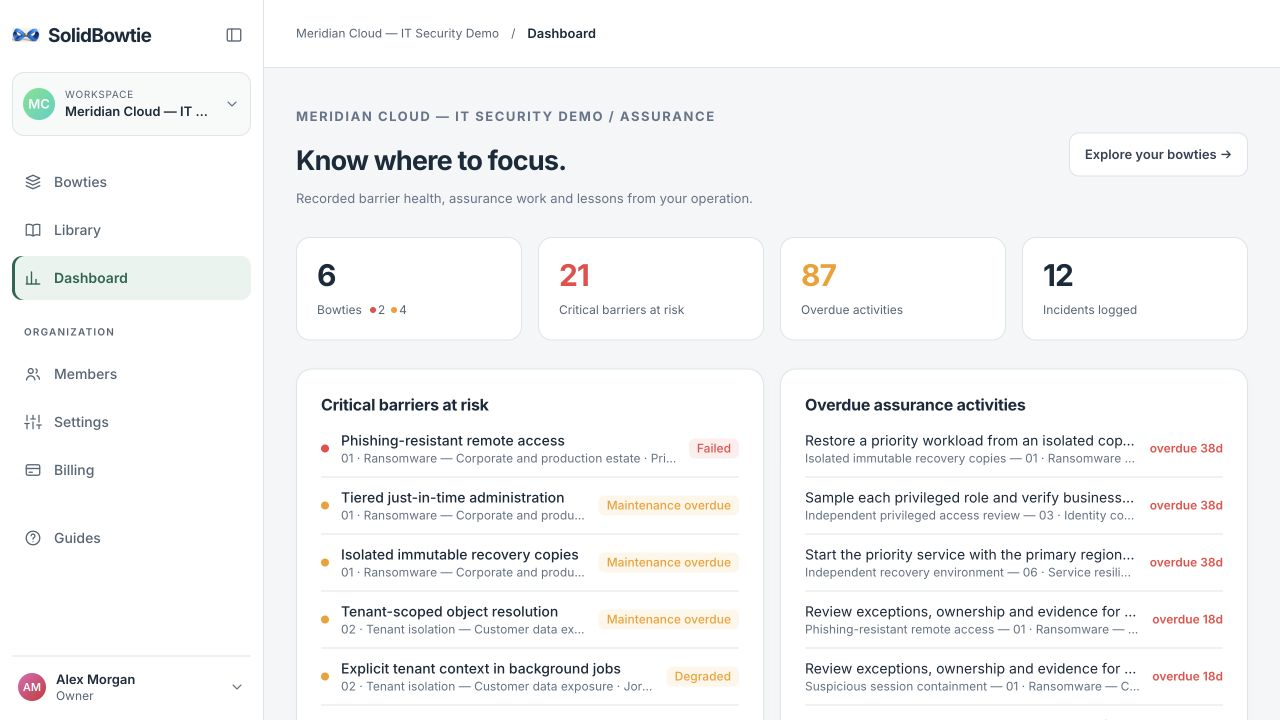
Your dashboard brings critical barriers at risk, overdue activities and unprotected pathways into one place. Open the relevant barrier to move from an overview to the work itself.
Search names, hazards and tags. Filter by health, narrow by tag and sort the portfolio to suit your review.
Find threats and consequences without barriers, alongside critical controls whose health needs attention.
Review recent events and barriers with recorded degraded, failed or missing outcomes across your organisation.
02 / THE LIVING DIAGRAM
Read from threats through preventive barriers to the top event, then through recovery barriers to consequences. Search a busy canvas or focus the discussion on one pathway.
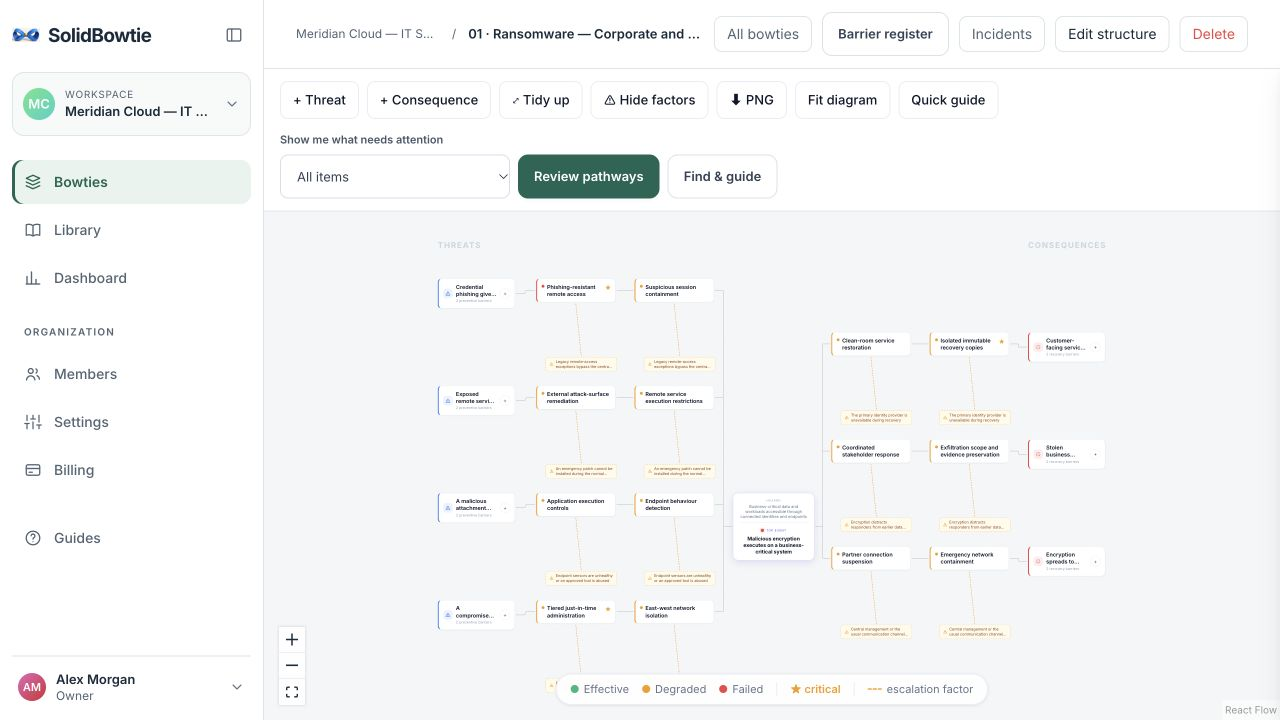
Filter for failed or missing barriers, overdue checks, missing owners and unprotected paths. Step through affected pathways in a temporary review layout.
Open barrier details from the canvas. Review ownership and assurance work while keeping the risk pathway in view.
Download the displayed diagram or focused pathway as a PNG for a presentation or report. Pan, zoom and fit the canvas as you explore.
03 / THE WORK BEHIND THE BARRIER
Record an accountable owner, barrier type, effectiveness and criticality. Add escalation factors that could undermine the barrier, and controls to address them.
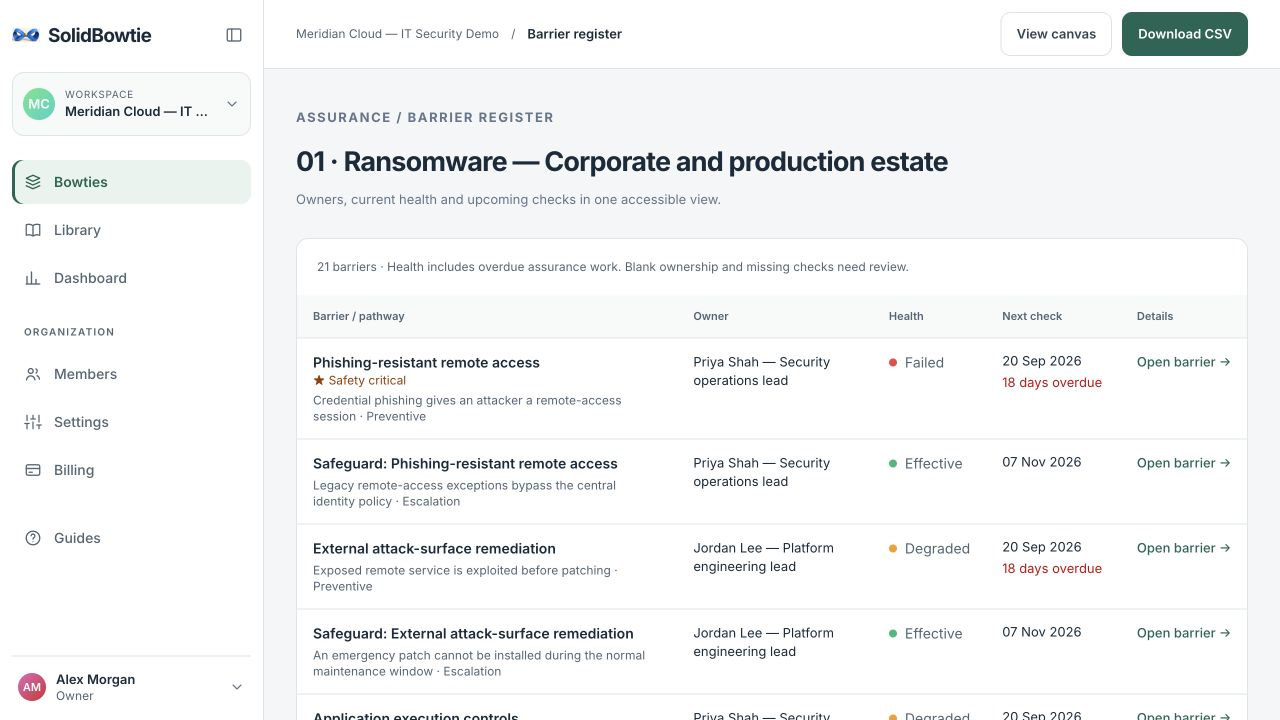
Schedule inspections, proof tests, maintenance, training and reviews. Assign the work and mark it complete to schedule the next check.
An overdue assurance task degrades an otherwise effective barrier. Recorded state and assurance together inform the health shown in the workspace.
Log incidents and near misses, then record which barriers worked, degraded, failed or were missing. Bring those outcomes into your next review.
04 / A SHARED WORKSPACE
Invite colleagues as admins, members or viewers, and manage ownership through membership roles. Collaborate on the canvas in real time, with viewers able to explore without editing.
Explore plans and seats →Copy a detailed template or describe your operation for an editable AI draft. Your team reviews and adapts the result.
Browse the templates ↗Switch between organisations you belong to, manage membership roles and keep each organisation’s bowties together.
Use email and password or Google sign-in. Viewers are free on Team; owner, admin and member roles count as editors.
Export the currently displayed canvas or focused pathway as a PNG, and download a bowtie’s barrier register as CSV.
Health reflects your recorded barrier state and assurance schedule. It supports your review; your team still needs to assess the evidence and whether the control works in practice.
Google sign-in is available today. Enterprise SSO is not currently included. Contact us to discuss onboarding, assurance support and service-level requirements.
Build one bowtie with every product feature for one week, without a credit card. Afterwards the workspace becomes read-only. Team keeps editing unlocked. AI drafting requires a confirmed email address and is subject to usage limits.
START WITH ONE RISK THAT MATTERS
Bring a real scenario. Build the picture. Put a name behind the work.
Build my first bowtie →Try the interactive example ↗